Tesla PowerPlug
A car that knows how you slept.
Tesla PowerPlug connects your car to the Ultrahuman Ring. It reads the night you had, turns it into a readiness score in the morning, and recommends how to drive: the calmer mode when you are depleted, the full range when you are not. The drive is then filed like anything else that happened to your body that day, in the same stack as sleep and recovery rather than in a section of its own. What it will not do is tell you whether you should be driving. Deciding that someone is unfit to drive is not a call a ring can responsibly make, so it recommends and leaves the decision with you. It was the first time an Ultrahuman Ring pulled data from a vehicle.
Product Design: Nachiket Palkar · Integration: Tesla Fleet API
Three inputs, shown
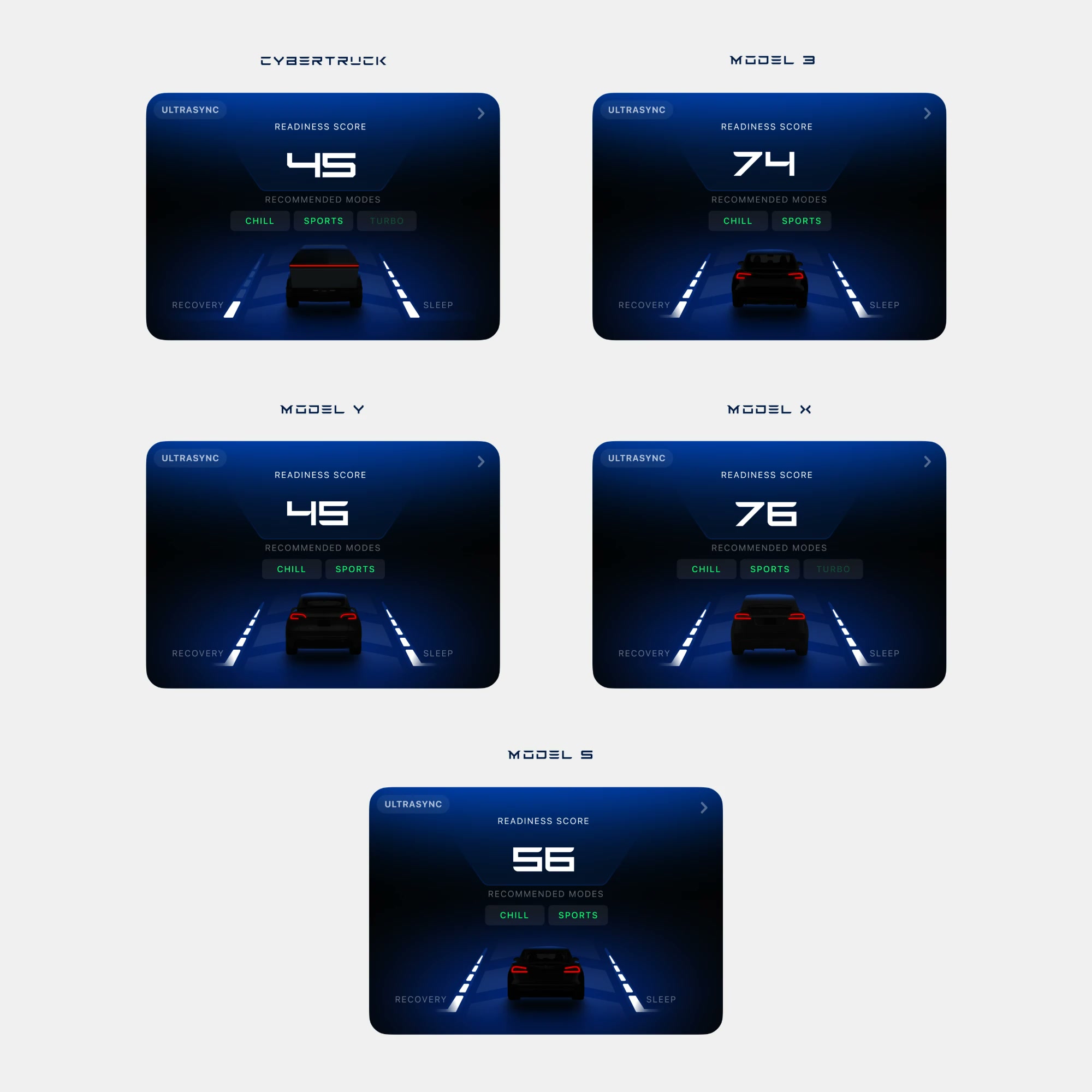
The score is built from three things the ring already measures: HRV, skin temperature and that morning’s recovery. The card shows those inputs next to the number, so you can see where it came from instead of being asked to trust it. Based on the score, it suggests a drive mode. It only suggests. Nothing is switched for you and nothing is locked.The car reports itself
You never tell the app you drove. The car reports the trip through Tesla’s Fleet API and the drive appears on the home screen by itself, waiting to be added or dismissed. The only thing left to decide is whether it belongs in your day.Every drive you keep
Every drive you keep stays in a list, newest first, with the date, how long it took and the score it got. Tap one and it opens again in full. Nothing gets folded into a weekly average, because a drive is a specific hour of a specific day, and that is how it stays filed.The whole hour
Open a drive and you get the whole hour. How long it took, your highest and average heart rate, average speed, and the route with the stressful stretches marked on it. The speed trace runs underneath. None of it is a comment on how you drove. It is a record of what your body did while you were driving.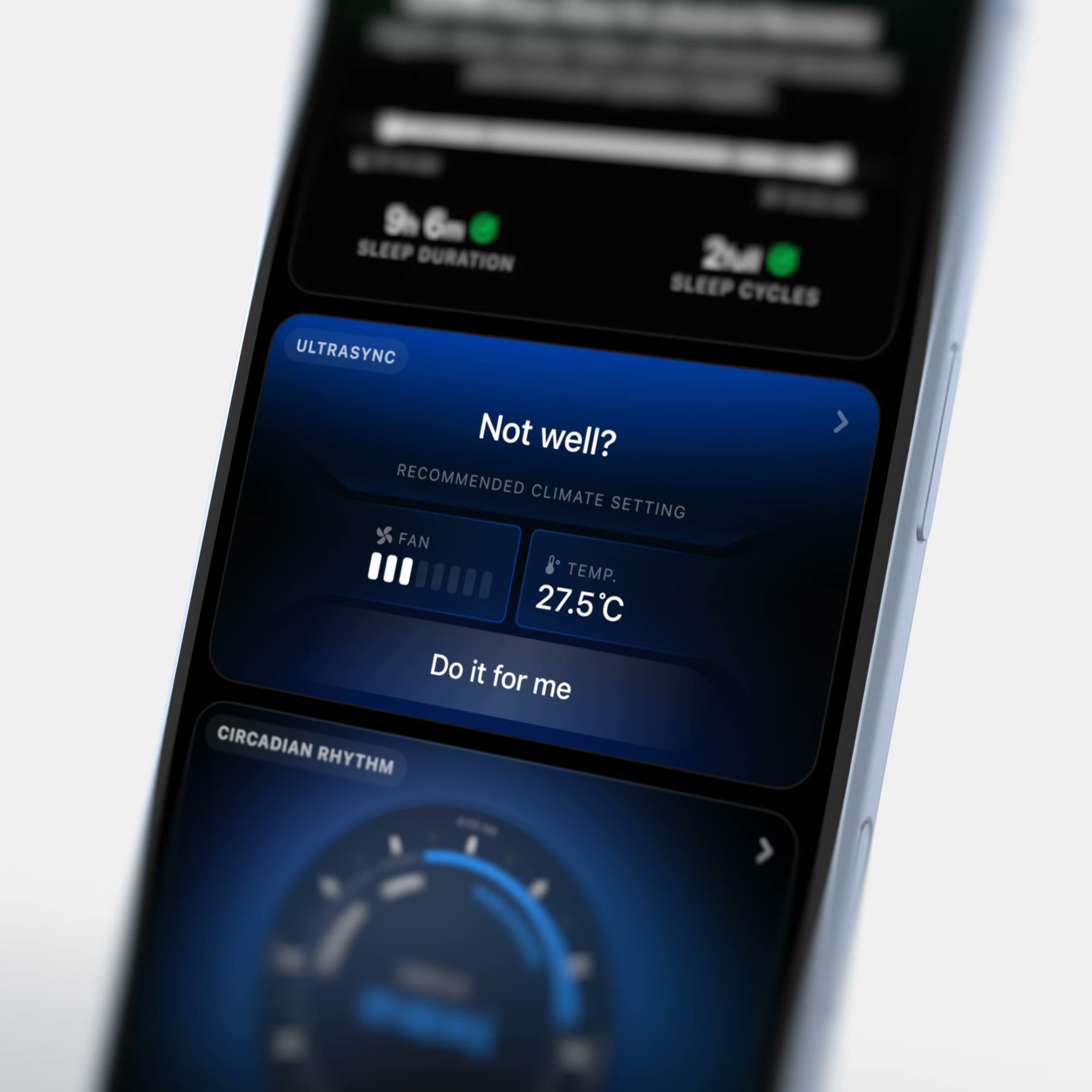
A setting, not advice
When your readings are off, the card suggests a cabin setting to go with it: a fan speed and a temperature, both shown as values you can see rather than a claim you have to take on faith. Do it for me sends it to the car. Ignore it and nothing changes. The suggestion is the default, never the action.Your car, not a car
The app shows your actual car, not a generic one, so every model is drawn separately. Each car appears twice, on the home screen card and on the detail page. That means all of them have to be drawn at the same size, weight and angle, and a new model has to match the ones already there.